Laptop SSD vs HDD: Which One to Choose?
When selecting a laptop, one of the most important decisions involves the type of storage drive. The two primary options are solid-state drives (SSDs) and hard disk drives (HDDs). Each technology has distinct characteristics that affect performance, reliability, and capacity. This article provides an informational overview of these differences to help you understand what each type offers.
The choice between SSD and HDD ultimately depends on your specific needs, usage patterns, and budget. By examining factors such as speed, durability, storage capacity, and cost, you can evaluate which drive aligns better with your requirements. The following sections outline the key aspects of each technology in a neutral and informative manner.
Speed and Performance
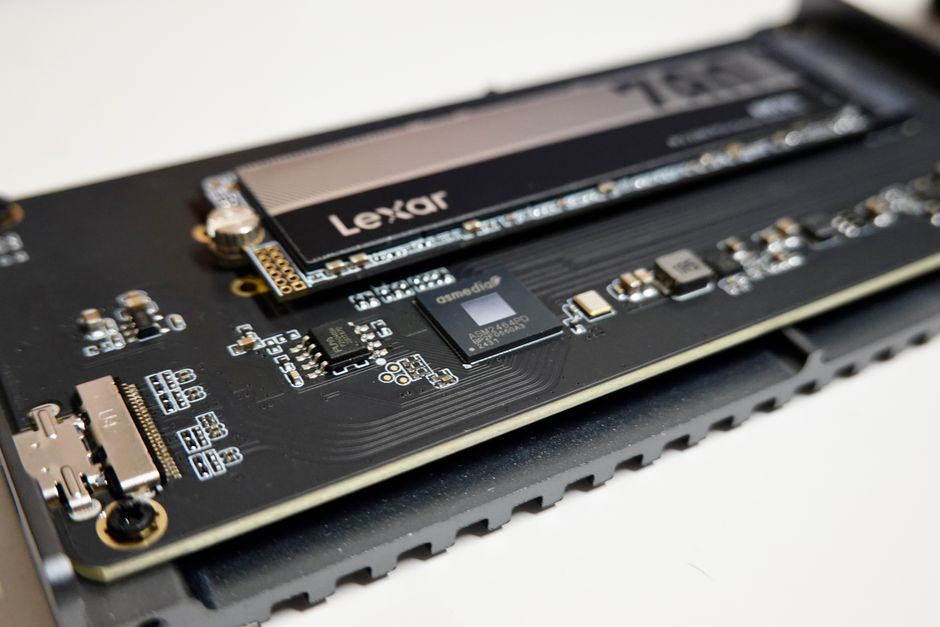
Speed is often the most noticeable difference between SSDs and HDDs. An SSD stores data on flash memory chips, allowing for near-instantaneous access. In contrast, an HDD uses spinning magnetic platters and a moving actuator arm, which introduces mechanical delays. This fundamental difference results in significantly faster boot times, application loading, and file transfers for SSDs.
However, the actual performance you experience depends on various factors. For instance, the type of SSD interface (SATA or NVMe) and the HDD’s rotation speed (5400 or 7200 RPM) influence real-world speeds. While SSDs generally outperform HDDs in most scenarios, the degree of improvement varies. For users who primarily perform basic tasks like web browsing and document editing, the speed difference may be less critical. Conversely, heavy multitasking or large file operations can highlight the advantages of an SSD.
It’s also worth noting that SSDs have no moving parts, which contributes to their speed. But the speed is not constant; it can be affected by factors such as storage capacity and how full the drive is. Therefore, when comparing speeds, consider your typical workloads and whether the performance boost justifies any trade-offs.
Durability and Reliability
Durability is a crucial consideration for laptop users, especially those who travel frequently. Since HDDs rely on moving parts, they are more susceptible to damage from physical shocks or drops. A sudden impact can cause the read/write head to crash onto the platter, potentially leading to data loss. SSDs, on the other hand, have no moving parts, making them more resistant to physical damage and vibration.
Reliability also involves the drive’s lifespan. Both SSDs and HDDs have limited lifespans, but they fail in different ways. HDDs can have mechanical failures, while SSDs have a finite number of write cycles. However, modern SSDs are designed to last several years under typical usage. The durability of an SSD can be an advantage for those who are on the move, but it is not the only factor determining reliability. Temperature fluctuations, power surges, and manufacturing defects can affect any drive.
For data safety, it’s important to implement regular backup strategies regardless of drive type. Neither SSD nor HDD is infallible, and external factors such as power outages can affect both. Therefore, while SSDs are generally more durable, they do not guarantee complete protection of your data.
Storage Capacity and Price
Storage capacity is another differentiator. HDDs typically offer larger capacities at a lower cost per gigabyte. This makes them a practical choice for users who need to store large amounts of data, such as media libraries, games, or backups. SSDs have traditionally had smaller capacities and higher prices, but the price gap has narrowed in recent years. Still, for the same amount of money, an HDD can provide much more storage space.
For instance, a 1TB HDD may be considerably cheaper than a 1TB SSD. However, SSDs are available in larger capacities now, but the cost escalates quickly. If your primary need is vast storage without breaking the bank, an HDD might be the more suitable option. Conversely, if you prioritize speed and are willing to invest in a smaller SSD, you can always supplement with an external HDD later.
When evaluating capacity, also consider the system’s intended use. For a laptop used primarily for office work or internet browsing, a modest SSD capacity may suffice. For gaming or video editing, you might require more space, which could steer you toward an HDD or a hybrid approach.
Power Consumption and Noise
Power consumption and noise levels are often overlooked but can affect user experience. Because HDDs have spinning platters and moving parts, they consume more power and generate heat. This can reduce battery life in laptops. SSDs, with no mechanical components, are more energy-efficient and produce minimal heat, potentially extending battery life per charge.
Noise is another consideration. HDDs produce audible clicking or humming sounds, especially when reading or writing data. This can be noticeable in quiet environments. SSDs are silent, as they have no moving parts. For users who work in libraries or during meetings, the silence of an SSD may be a subtle advantage.
While these factors may not be deal-breakers, they contribute to overall usability. A longer battery life is beneficial for mobile professionals, and a silent drive can enhance concentration. However, actual power consumption varies with usage, and modern HDDs are designed to be relatively quiet.
Making an Informed Choice
Choosing between SSD and HDD requires balancing priorities. If you value speed, durability, and energy efficiency, an SSD is likely the better fit. On the other hand, if you need extensive storage capacity at a lower cost and can tolerate slower performance, an HDD may serve you well.
It’s also possible to consider a hybrid approach, such as using a small SSD for the operating system and frequently used programs, and an HDD for bulk storage, if your laptop supports dual drives. This configuration allows you to benefit from the speed of SSDs while maintaining ample space for files.
Ultimately, the decision is subjective and depends on your individual circumstances. The information presented here is not a definitive recommendation but rather a framework to guide your evaluation. Always consider your specific needs, budget, and long-term usage patterns before making a purchase.